Xbox & Discord
Integrating the social layer for cross-platform gaming into the Xbox Console.
Role
Design lead
Worked across
- Xbox Console OS
- Social & Communication systems
- Identity & Presence
- Cross-platform ecosystem integrations
Partnered closely with
- Discord product & design teams
- Xbox social platform engineering
- Cloud & streaming teams
- User research
- Accessibility
- Growth and engagement stakeholders
Problem & opportunity
As gaming expanded beyond a single console, communication evolved faster than platform ecosystems could keep up. Friend groups were no longer confined to Xbox Live — they spanned console, PC, mobile, and cloud platforms — with Discord emerging as the default social hub for multiplayer gaming.
Despite this, Xbox players still relied heavily on:
- Legacy Xbox Party Chat,
- Fragmented mobile workarounds, or secondary devices running Discord separately.
This created major friction:
- Players had to coordinate outside the console.
- Communication felt disconnected from gameplay.
- Xbox-native social systems became less central to multiplayer engagement.
- Cross-platform play lacked a unified social layer.
The opportunity wasn’t to replace Discord — it was to seamlessly integrate it into the Xbox ecosystem in a way that respected existing player behavior.
Vision
Enable players to move fluidly between Xbox and Discord without needing to think about which platform they were on.
We focused on four core pillars:
-
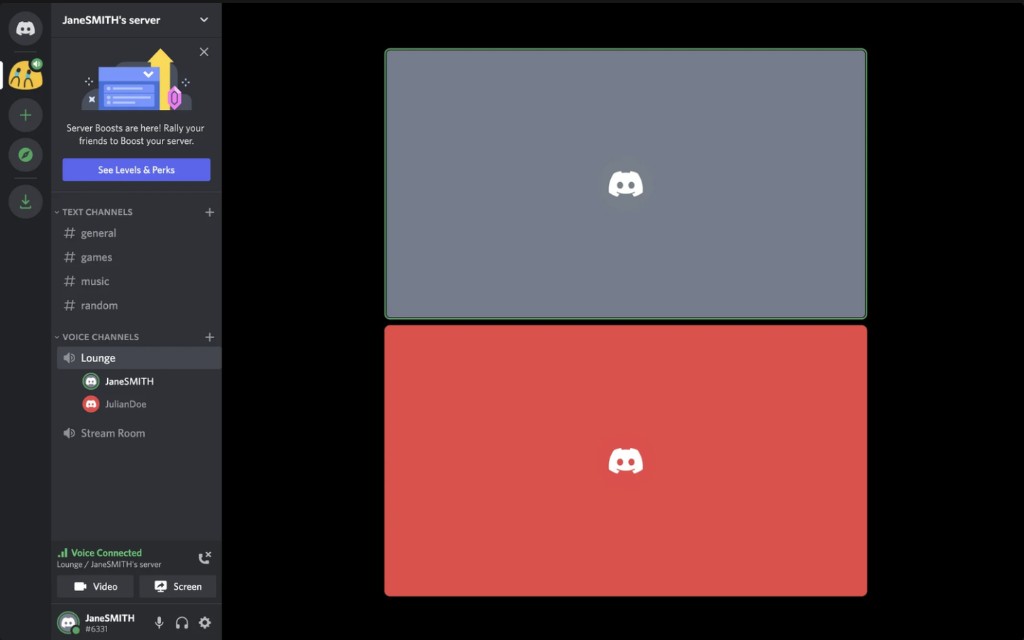
Discord Voice on Console
Allow players to join Discord voice calls directly from Xbox.
-
Persistent Voice Channels
Support Discord’s server-based communication model beyond traditional session-based party chat.
-
Console Streaming Integration
Enable players to stream gameplay directly into Discord voice channels.
-
Unified Identity & Presence
Bridge Xbox identity and Discord identity through connected accounts and richer presence sharing.
Feature launch
Discord Voice Channels.
Traditional Xbox Party Chat was designed around temporary sessions. Discord introduced a fundamentally different behavior model:
- persistent communities,
- always-on channels,
- drop-in participation.
A key challenge was preserving awareness and context without overwhelming the TV interface with Discord’s desktop-level complexity. I saw that visual queues for voice communication features were fairly similar between Xbox and Discord, therefore I leveraged as many existing console components to speed up development while reducing new feature friction. I helped design console interaction patterns that allowed players to:
- browse channels,
- understand live activity,
- join ongoing conversations,
- and transition between gameplay and community spaces fluidly.
Feature launch
Console streaming to Discord
Streaming gameplay into Discord channels created new opportunities for lightweight social engagement. Unlike public broadcasting platforms, Discord streaming is casual and community-oriented — players share gameplay with friends while hanging out in voice channels or coordinating multiplayer sessions.
Because Xbox had already launched native Twitch streaming integrations, we were able to reuse much of the existing streaming infrastructure and UI patterns to move quickly. Rather than building from scratch, we adapted proven console streaming experiences for a more social, low-pressure use case.
Feature launch
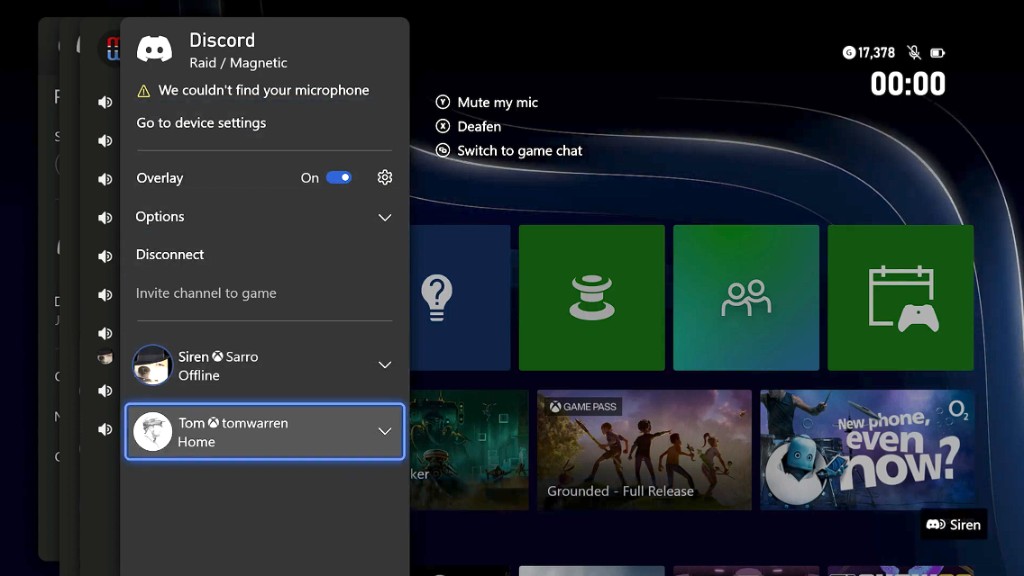
Fast follow, Gamertag and Presence integration
As players increasingly formed friend groups across platforms, identity fragmentation became a growing source of friction. A player might be known by one name on Xbox, another on Discord, and a third on Steam or PlayStation.
In practice, this created constant moments of confusion:
- “Which friend is this again?”
- “Is this the same person from our Discord server?”
- “Who just joined the voice channel?”
- “Which account should I invite?”
A major design consideration was balancing clarity with UI simplicity. Console interfaces operate at a distance and must remain highly scannable. Showing two identities risked increasing visual noise, especially in:
- friend lists,
- voice overlays,
- notifications,
- and party surfaces.
We explored hierarchy systems that preserved the primacy of Xbox identity while still exposing Discord context when it was most valuable. Rather than treating Discord as a separate destination, the experience aimed to make cross-platform relationships feel naturally integrated into the Xbox ecosystem.
Impact
Designed the Xbox × Discord integration, bringing Discord’s social layer into Xbox console experiences and enabling seamless voice and identity connectivity across platforms. Within the first six months of launch, the experience reached 3.7M+ monthly active users.
The integration also drove strong ecosystem engagement, with Discord Nitro emerging as the highest-performing subscription perk post-launch, reaching 1.3M+ redemptions.
At peak scale, the system supported 7M+ daily active callers, with users averaging ~2 hours per session, reinforcing Discord voice as a primary communication layer for Xbox players.